
SHRIMOYEE BANERJEE

Time Out
PROJECT OVERVIEW
The Product
Time Out is a smartphone application designed to combat addiction by limiting screen time and application usage, with added parental control features for monitoring children's screen usage.
The Problem
Are we addicted to our smartphones?
This is a common question that has arisen in recent years as our smartphone technologies and capabilities continue to increase our screen time. While we talk, text, check our e-mail, surf the Internet, and interact on social media, our screen usage times continue to increase. Increased usage of phones has been seen most amongst children and teenagers. This is not only taking away their crucial time but also harming their health. Smartphones have integrated into every aspect of our lives, whether it be tracking your health or keeping up with work. This level of penetration into the lives of our population has made them indisposable and a crutch, rather than a convenience. This necessity or dependency is the addiction that people face with their smartphones.
The Goal
PROJECT OVERVIEW
The Product
The Problem
Are we addicted to our smartphones?
This is a common question that has arisen in recent years as our smartphone technologies and capabilities continue to increase our screen time. While we talk, text, check our e-mail, surf the Internet, and interact on social media, our screen usage times continue to increase. Increased usage of phones has been seen most amongst children and teenagers. This is not only taking away their crucial time but also harming their health. Smartphones have integrated into every aspect of our lives, whether it be tracking your health or keeping up with work. This level of penetration into the lives of our population has made them indisposable and a crutch, rather than a convenience. This necessity or dependency is the addiction that people face with their smartphones.
The Goal
Address smartphone addiction by reducing overall screen time and application usage.
Provide users with tools to monitor and manage their screen usage habits effectively.
Integrate parental control features to assist parents in monitoring and regulating their children's screen time.
Promote healthier screen usage habits among users, contributing to improved well-being and productivity.
Responsibilities
Create intuitive Interfaces, Conduct User Research, Collaborate with developers to ensure smooth implementation, and Iterating based on User Feedback.
Knowing More About The Problem
All age groups suffer from phone addiction, but the major sufferers are teenagers and people between 20-35years. I conducted user interviews to understand the problem better from potential user’s point of view.
Goals of User Interview
Knowing the User.
Knowing the User’s problem
Knowing the User’s needs.
Conclusion Drawn From Interview
User
Needs
Insights
A student who intends to use phone for homework, but ends up wasting time on social media.
Platform that allows limiting the usage of
particular applications.
User is anxious about wasting their precious time on various social media applications.
User has two children, one 9 year old and other 14 year old. User is concerned about their kid’s over-usage of phone. The inbuilt wellbeing app in phone doesn’t have any feature that allows parent to restrict or monitor children’s phone usage.
A platform that allows them to keep an eye on their kid’s screen time usage.
A parent who wants to limit the screen usage of their children.
An adult who is concerned about the effects of over-usage of screen on their eye sight.
Platform that shows the user their daily phone usage and its impact on their eye sight.
User is concered about the damage being sustained by their eyes by over usage of phone. The wellbeing app doesn’t have any feature that warns users about eye strain levels.health.
The user, a concerned mother of a teenager, seeks a solution to monitor her child's phone usage as the existing phone's wellbeing app lacks this feature, desiring alerts for her child's screen time.
A platform that allows them to monitor their kid’s screen activity.
A parent who wants to monitor the screen usage of their children.
Users included students, working professionals and parents. Mapped user interviews into an empathy map given below:
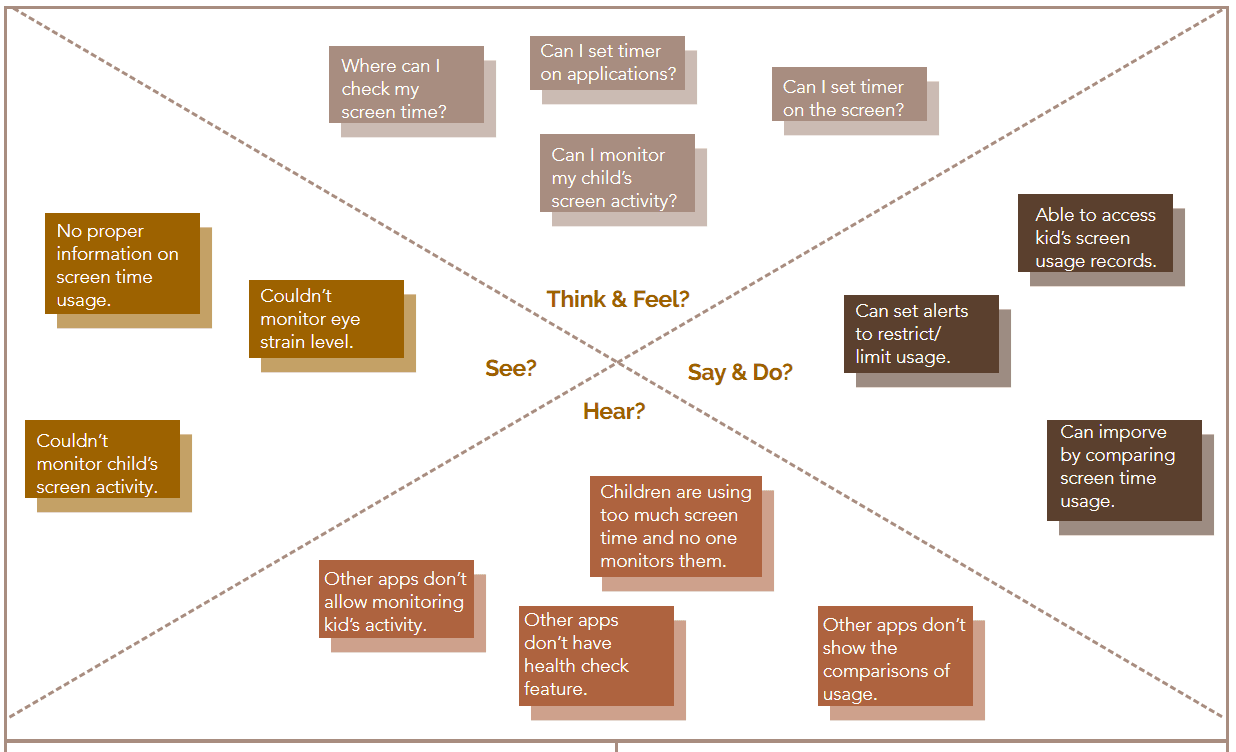
Pain Points
Using screen more is harming health.
More phone usage leads to more wastage of time.
More children have been addicted to phones.
Gain Points
Saving time by comparing improvement & monitoring usage.
Breaking phone addiction by limiting usage.
Tracking health and kid’s activity for improvement
Proposed Solution
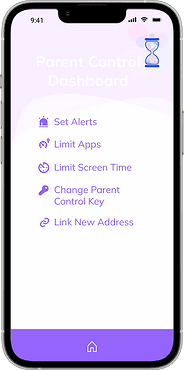
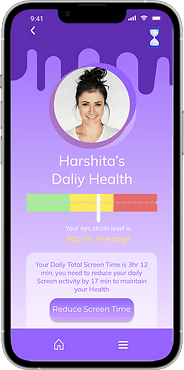
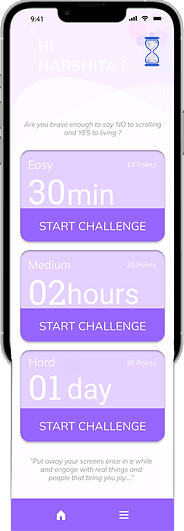
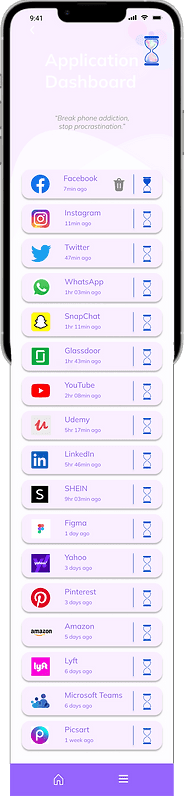
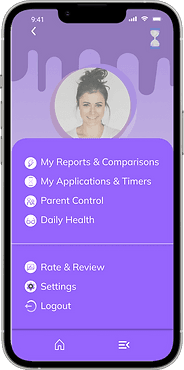
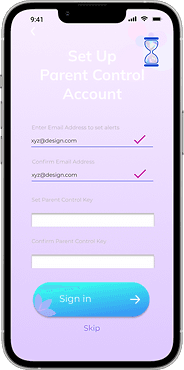
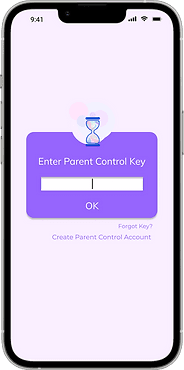
Smartphones have become an integral and indispensable part of our lives. We cannot expunge smartphones from our lives completely, but we can reduce their usage. Time Out helps users get rid of their phone addiction by limiting their total screen time as well as various applications’ usage. Time Out has a special Parent Control feature that allows parents to keep track of their kid’s screen usage. Users can monitor their health and accordingly set a timer for their screen usage.
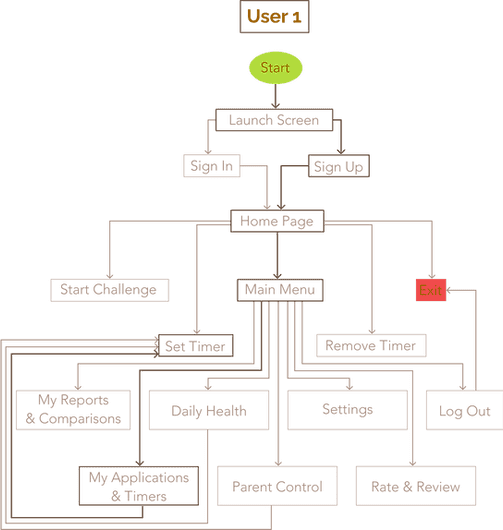
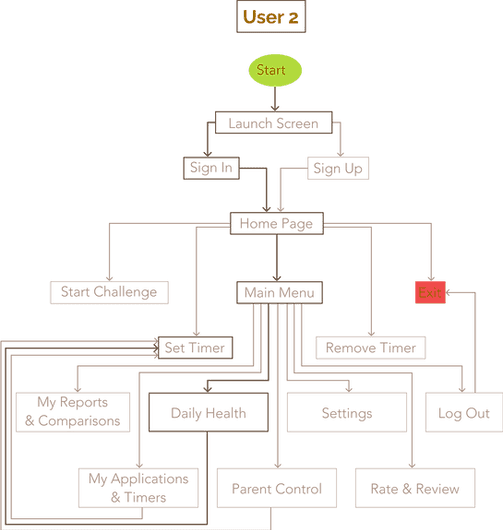
User Flow
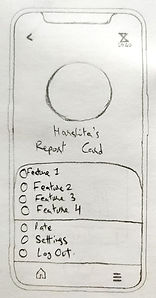
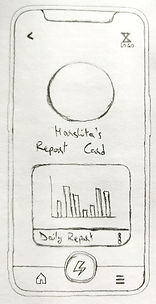
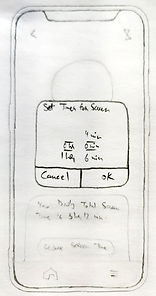
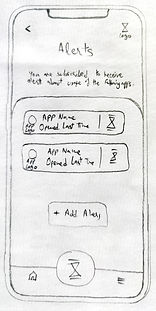
Hand Sketches
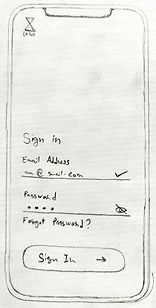
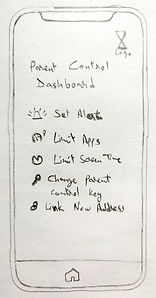
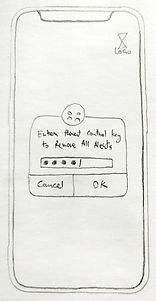
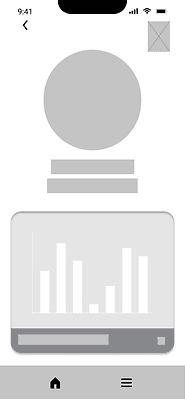
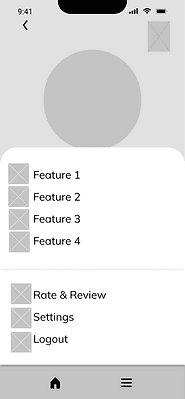
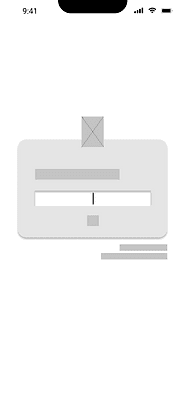
Digital Wireframes

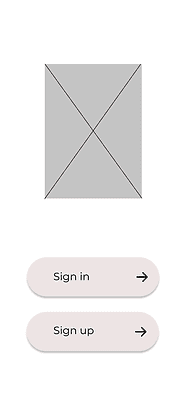
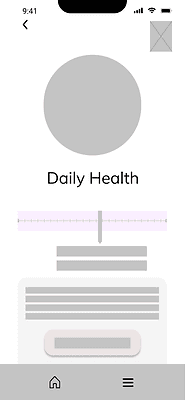
User Interface
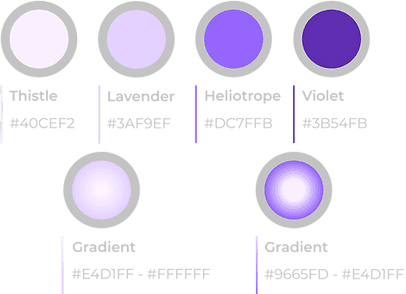
Colour
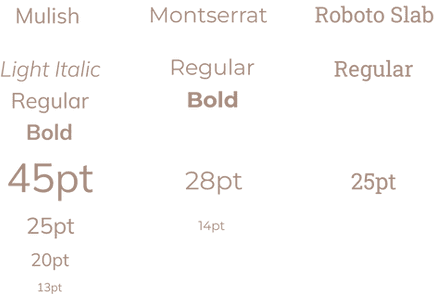
Typography
Iconography
Logo

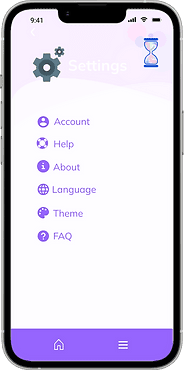
User Interface
Shrimoyee's
Shrimoyee's
Shrimoyee's
User Testing
After implementing all the needs listed by the users during the interview, gave users Usability Testing tasks to ensure proper implementation of all the features.
Goals of Testing
To check whether all the features are working properly and fit user requirements?
Is there anything missing that would make user experience in Screen time Out a better experience?
Prepared behavior interview questions and testing task list.
Define the Testing Tasks
LogIn/SignUp
Set timer on any application.
Check out the Parent Control option.
Set alerts using the Parent Control option.
Check your weekly comparisons.
Check your daily health.
Task 1
Using this app, set timer on any application.
Task 2
Set alerts, using the Parent Control feature.
Task 3
Using this app, check your weekly comparisons and health.
Participant 1
Participant 2
Participant 3
Participant 4
Participant 5
The feature listing at the main menu are easy to understand. Could easily find the timer option because of the icon.
It was to find the alert option under the parent control dashboard. The alert feature is really helpful.
Weren’t able to find the the feature easily because of the confusing icons.
The comparison tool is really helpfull to keep track of my improvement.
The alert is not at the main menu so, got confused at first sight, but then after opening the parent control was easily able to set alerts.
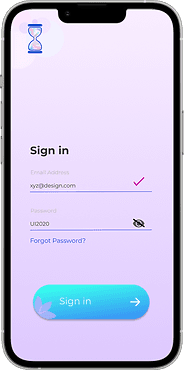
Really liked the UI design, and also found it extremely easy to navigate between the features.
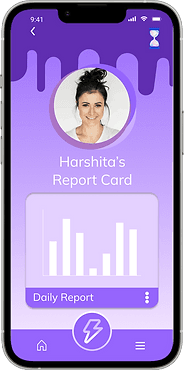
Liked the whole concept of parent control feature and how it is designed. Feels the access Key part is a great idea.
The comparison tool is amazing, the UI of the page is really pretty, specially the colors choosed for the graph.
Didn’t find the health tool much helpfull, could have been implemented in a better way.
Liked how the icon changes color when the alarm is set. Also the alarm list is really helpfull.
It was easy to find the timer icon and set the timer but it should have been accessible from the home page.
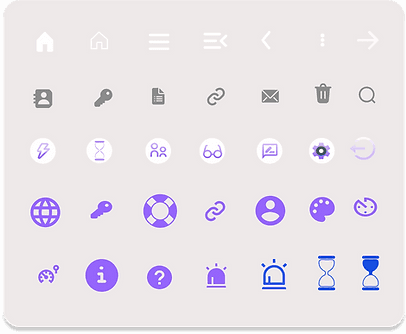
The icon choice is clear and pretty. Like how all icons match each other. Setting the timer was easy because of the icon.
Find it interesting that the alert feature is the feature of the parent dashboard and not the app home screen.
The health tool is fine. The comparison tool is great but the graph seems unclear.
Both the ways of setting the timer
were easy and prominent, was easily
able to set the timer.
Takeaways
Impact
What I learned
Next steps
Color and icon choices boosted user engagement, while the design's clarity and simplicity facilitated smooth navigation. The features, in both quantity and quality, met the expectations set during user interviews, ensuring alignment with user needs.
Increase the frequency of interview and testing sessions to enhance product development. Address areas requiring improvement, notably the 'Daily Health' feature, which lacks relevance for certain users. Expand current features to cater to a broader range of user needs and preferences.
Enhance user experience with expanded features. Strengthen the 'Alert' function in parental controls to send daily and weekly reports to parents via email. Introduce monetary penalties to enforce screen time limits effectively. Consider extending these features to more device types based on user feedback.
Let's connect!
Get in touch for opportunities or just to say hi! 👋

sbanerjee2403@gmail.com

+1 (617) 223-7884